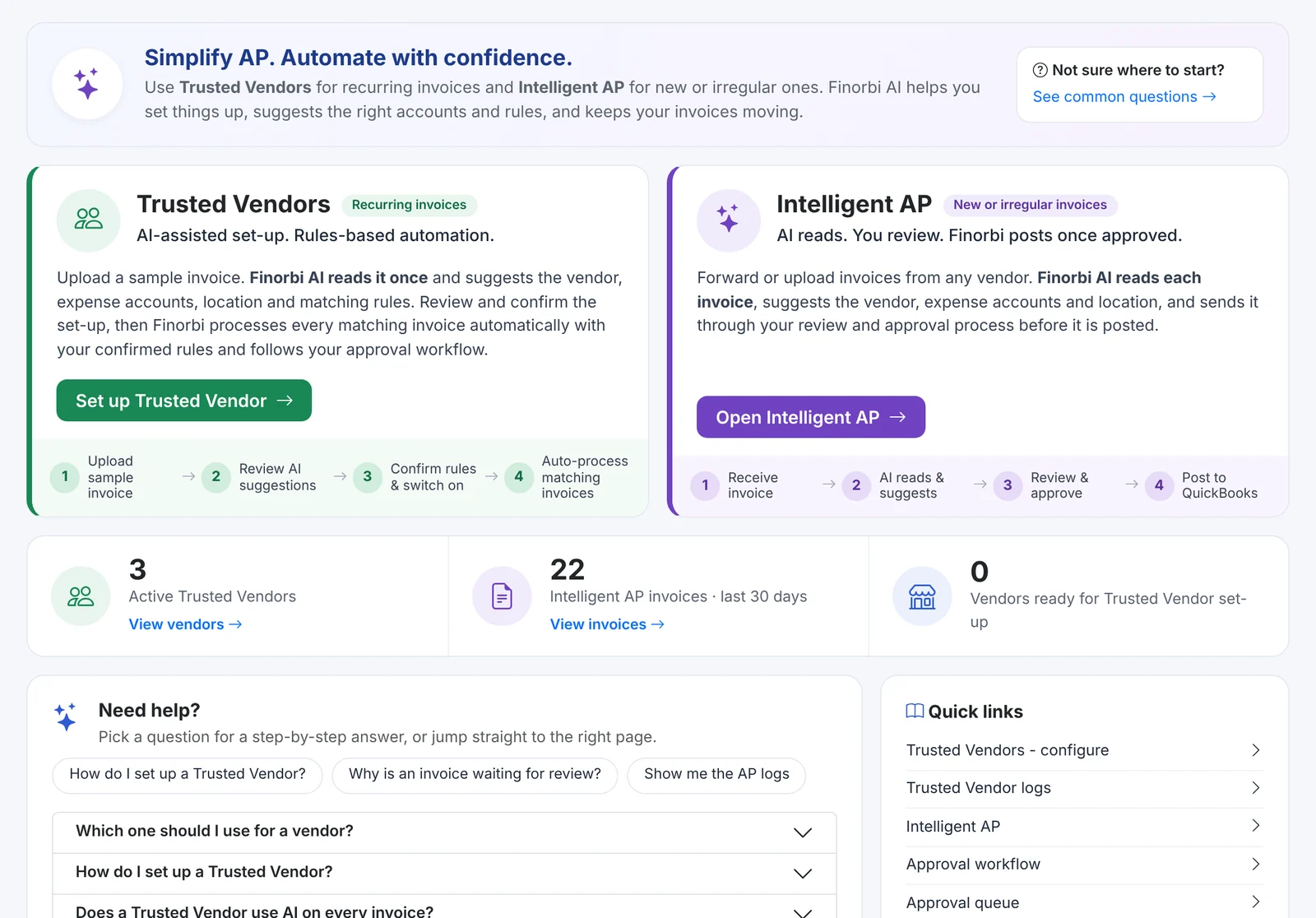
Your food supplier sends 40 invoices a month. Your linen service, your utilities, your waste hauler - the same handful of vendors make up most of your AP volume, and their invoices look exactly the same every time. There's no reason a person should key them in.
Trusted Vendors is Finorbi's pipeline for those predictable vendors. Set a vendor up once and every invoice they send is read, coded and posted to QuickBooks Online automatically.
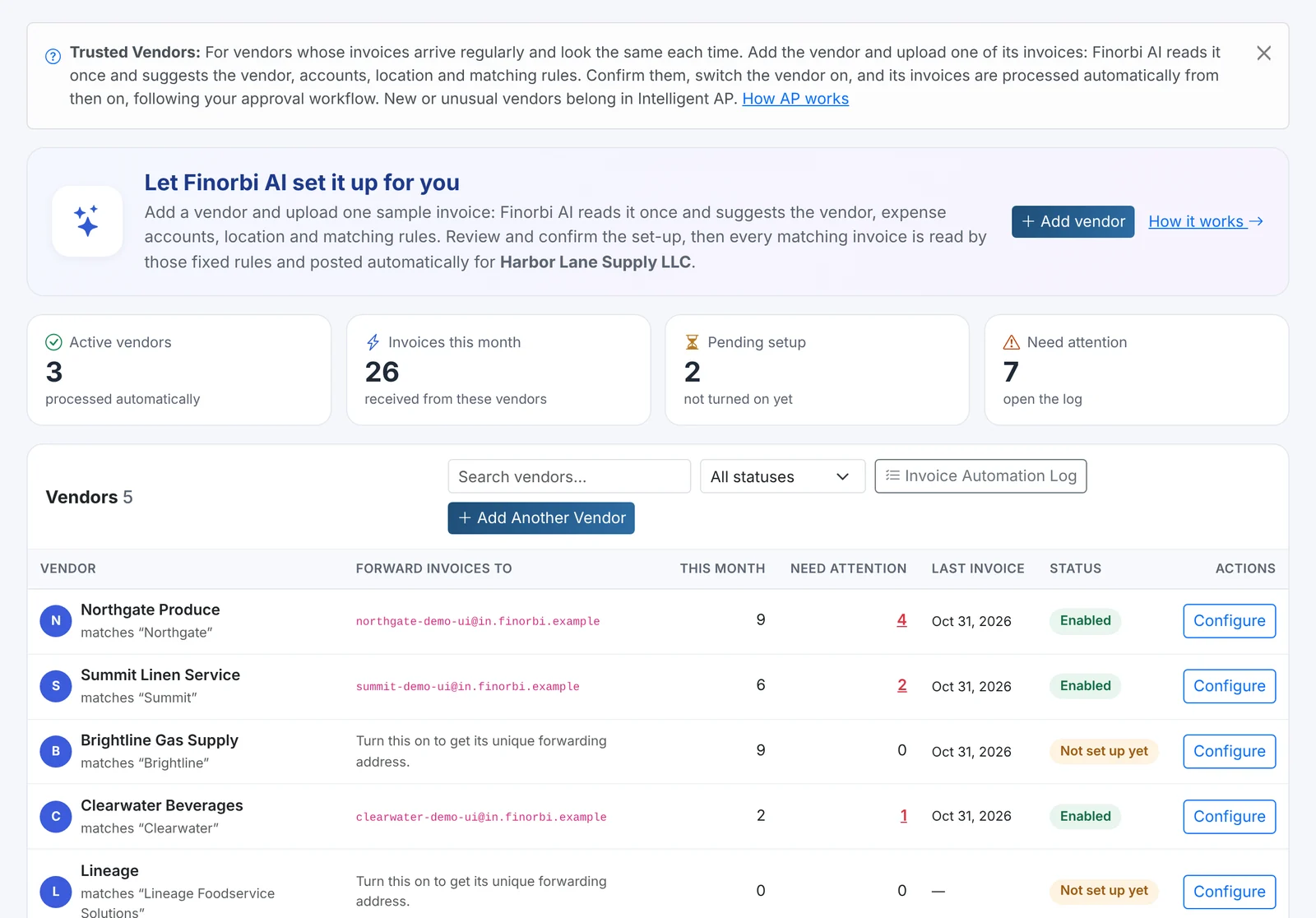
How it works
- Add the vendor - pick it from your QuickBooks Online vendor list.
- Get its forwarding address - Finorbi creates a unique inbox for that vendor.
- Point the invoices there - ask the vendor to email invoices to that address, or set up a forward from your AP mailbox.
- Confirm the rules - which account and location the invoice codes to, and how to recognise the invoice.
- Done - new invoices are processed as they arrive.
Finorbi can set the vendor up for you from one sample invoice: upload it, and the suggested rules are filled in for you to confirm.
Exceptions only
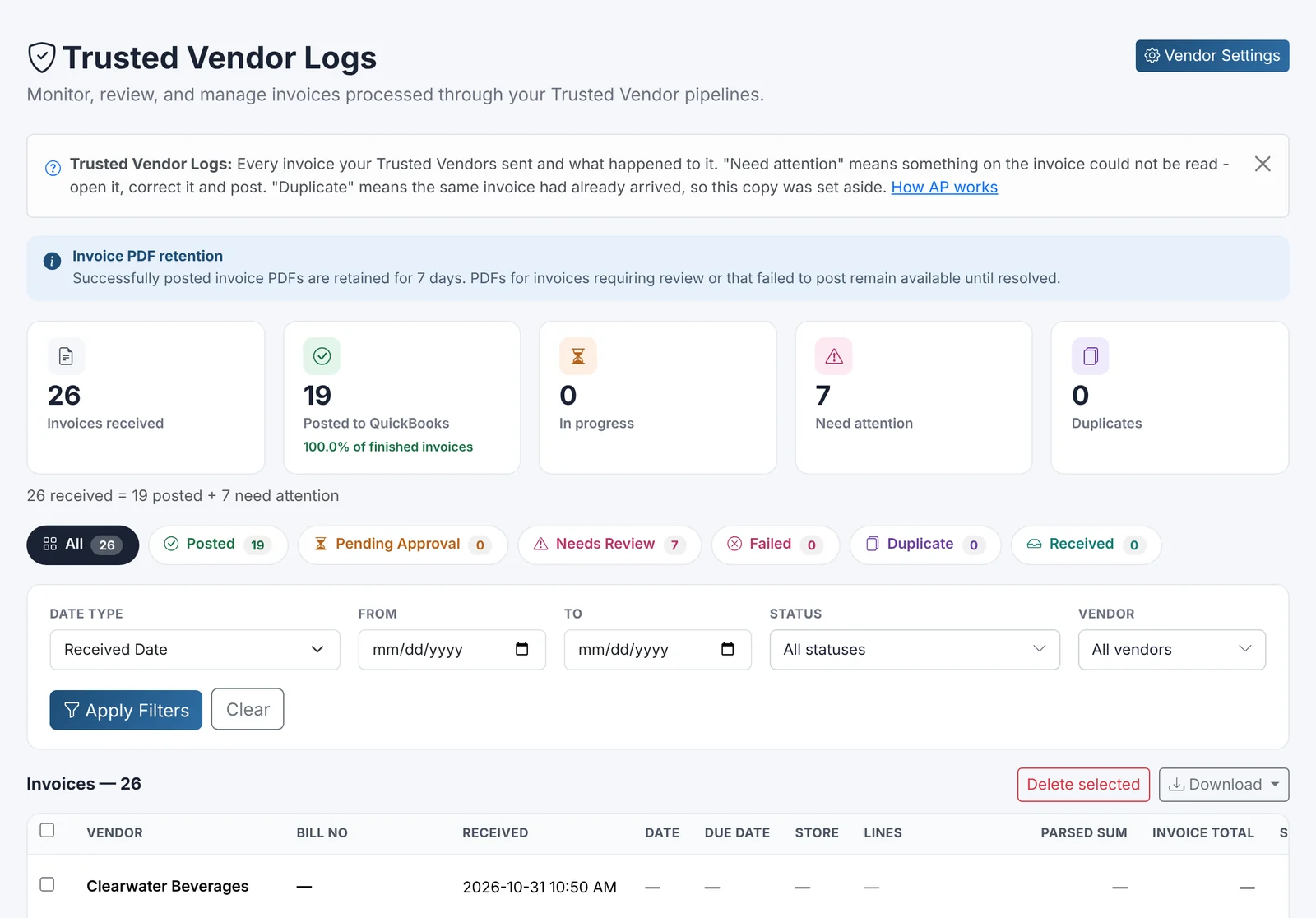
Most invoices sail straight through. The ones that need a person - an unexpected amount, a missing location, a possible duplicate - are flagged Needs attention so you can fix them in a click.
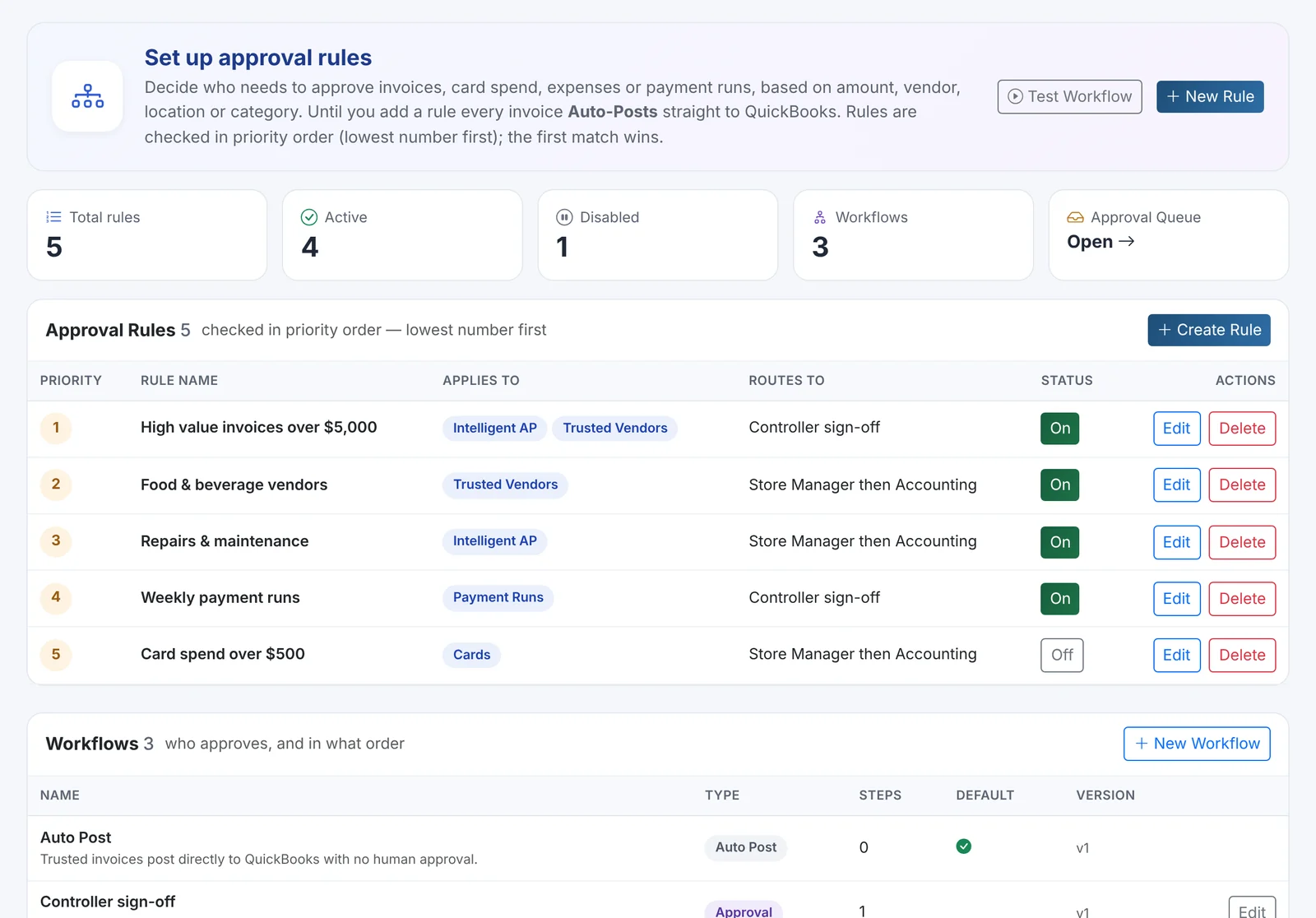
Works with your approvals
Trusted Vendor invoices follow the same Approval Workflows as everything else. You can let them post automatically, or require approval above a certain amount or for certain locations - for example, "food and beverage vendors over $2,500 go to the store manager."
Built-in controls
- Duplicate protection - the same invoice is never posted twice.
- The PDF is attached to every Bill in QuickBooks Online.
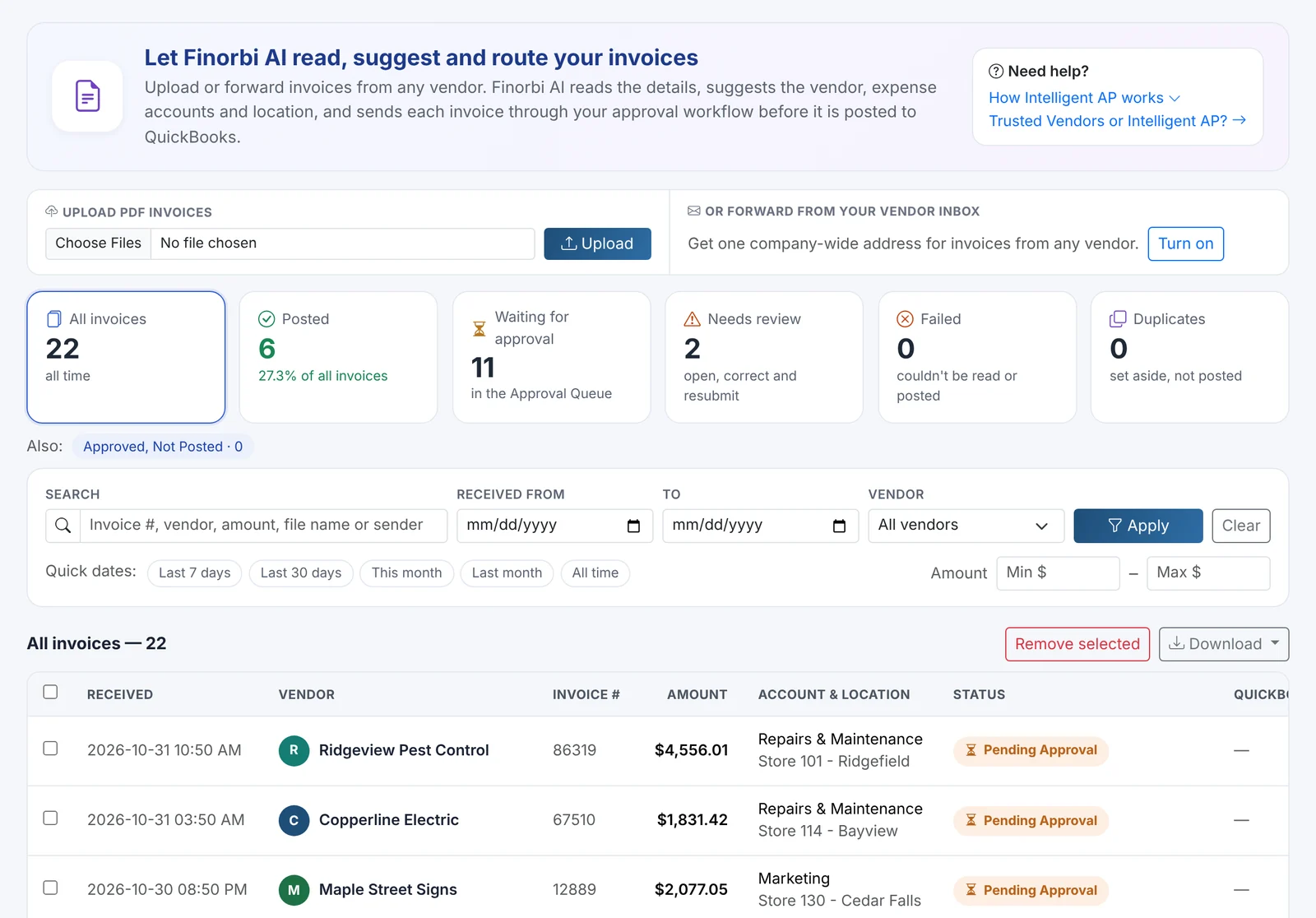
- Full log of every invoice: received, posted, needs attention, duplicates - searchable by vendor, date and status, with Excel export.
- Vendor suggestions - Finorbi watches Intelligent AP and recommends vendors that are ready to become trusted.
Trusted Vendors vs Intelligent AP
| Trusted Vendors | Intelligent AP | |
|---|---|---|
| Best for | Recurring vendors with consistent invoices | Everything else - new, one-off or irregular invoices |
| Setup | Once per vendor | None |
| How invoices arrive | The vendor's own forwarding address | Company AP inbox or PDF upload |
| Coding | Your rules, applied every time | AI suggestions learned from your history |
| Review | Exceptions only | Anything the AI isn't sure about |
Together they cover your entire AP inbox. Both count toward your plan's monthly AP invoice allowance.