
Employee expenses, approved and posted automatically
Employees submit expenses, managers approve them, and reimbursements post straight to QuickBooks Online — no spreadsheets, no chasing receipts.
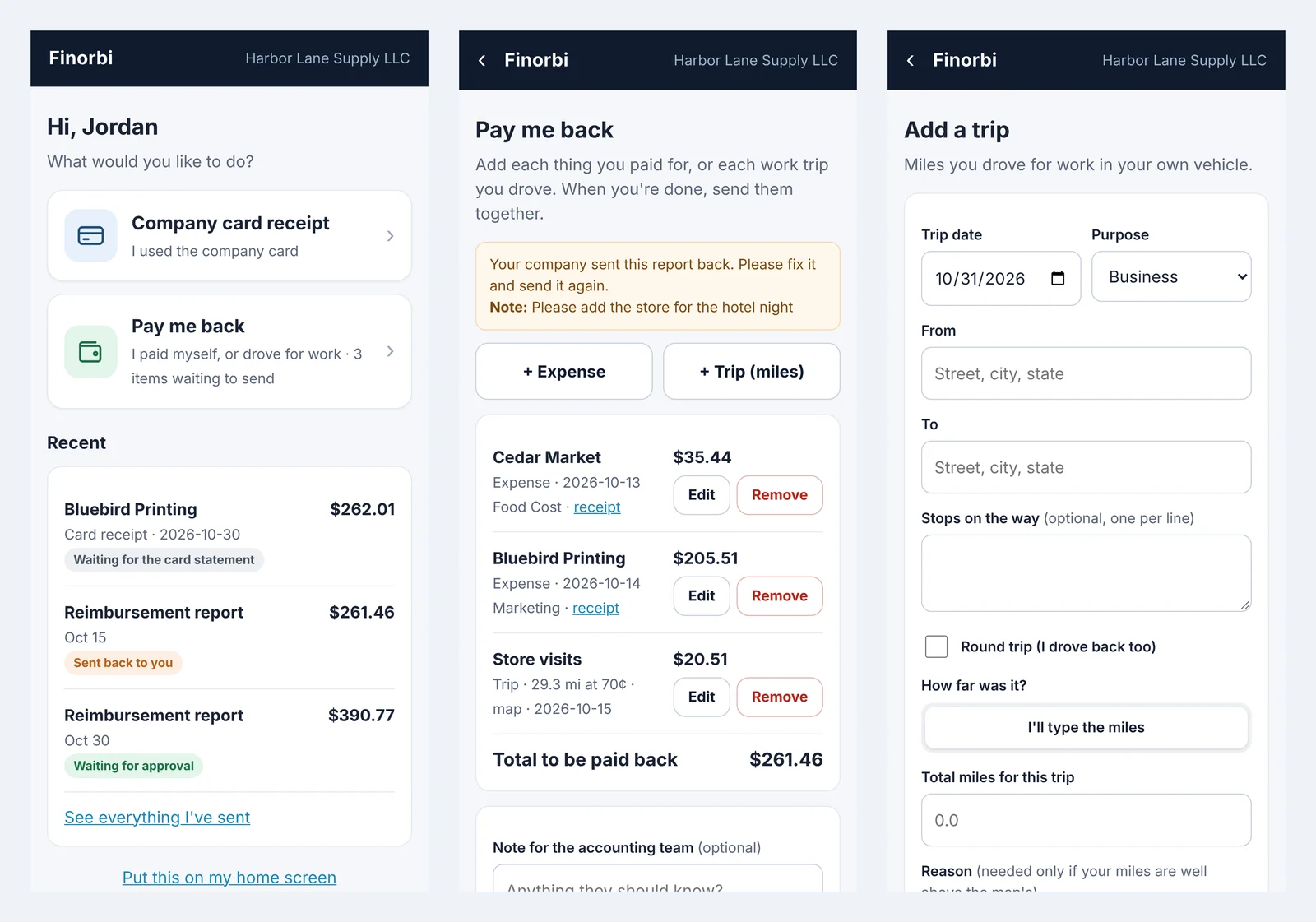
Submit in seconds
Employees snap a photo of a receipt or forward an email confirmation, add a note, and submit — no spreadsheet template, no waiting until month-end.
- Photo and email receipt capture
- Mobile-friendly submission
- Mileage and per-diem entries supported
Clear approval workflow
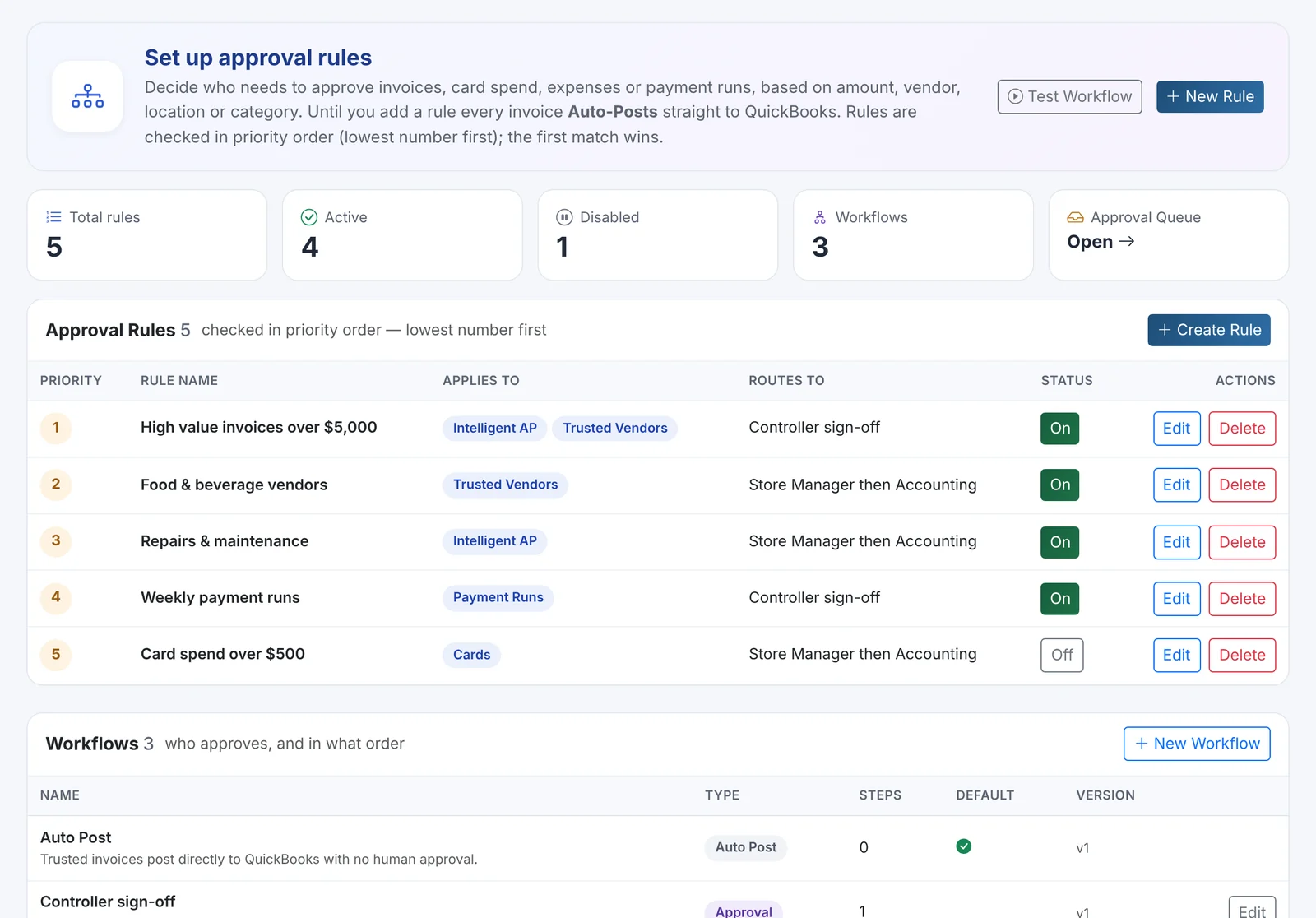
Every expense routes to the right manager based on your rules. Approvers see the receipt, the category, and the amount side by side before signing off.
- Configurable approval chains by amount or department
- Bulk approve for routine, low-risk expenses
- Employees see status in real time — submitted, approved, reimbursed
Reimbursements that post themselves
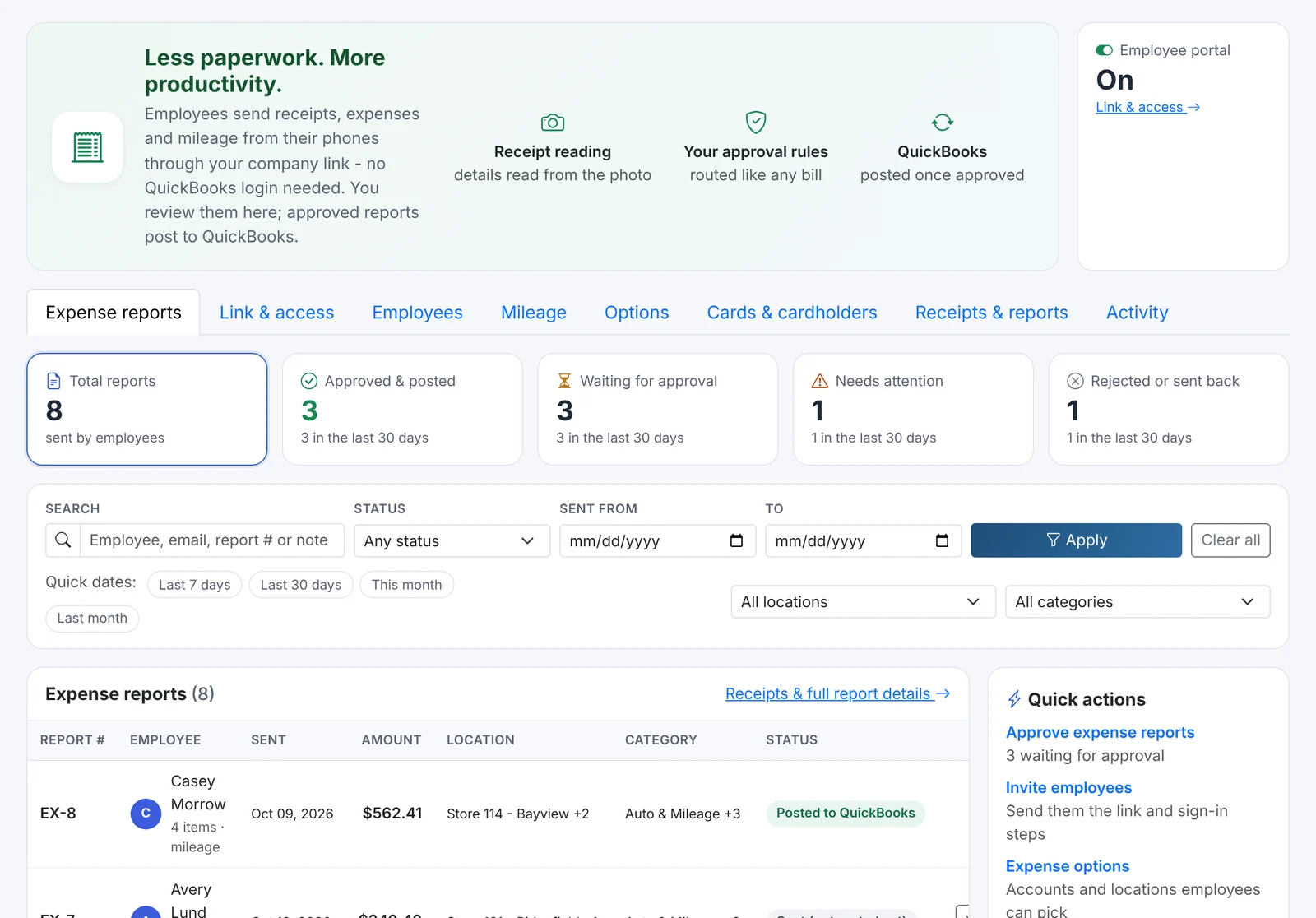
Once approved, expenses are mapped to the right expense accounts, classes, and employees, and posted directly to QuickBooks Online — ready for your next payment run.
- Correct GL mapping on every reimbursement
- No manual re-entry from a spreadsheet
- Full history for every employee and expense category
Policy and audit control
Set spending policies by category or department, and keep a complete, searchable audit trail of every submission, approval, and reimbursement.
- Category and spend-limit policies
- Searchable expense and approval history
- Receipts stored and linked to the posted QuickBooks Online record
From receipt to reimbursement in four steps
A simple flow for employees, full visibility for finance.
Submit
Employees capture a receipt and submit an expense from any device.
Review
The system pre-fills category and amount; the approver reviews the receipt side by side.
Approve
Approved expenses are routed for reimbursement automatically.
Post
Reimbursements post to QuickBooks Online, mapped to the right accounts and employees.
Included with the Spend Management add-on
Expense Reimbursements and Credit Card Bookings are available together as an optional add-on on Professional plans and above.
Expense Reimbursements, answered
Expense Reimbursements is available as part of the Spend Management add-on on Professional plans and above, alongside Credit Card Bookings. Contact us to enable it for your account.
Stop retyping what QuickBooks already knows
Start your free 14-day trial — every plan includes unlimited exports from day one.