
Credit card activity, categorized and posted automatically
Automatically import and categorize credit card transactions, match them to receipts, and post them to QuickBooks Online for a faster month-end close.
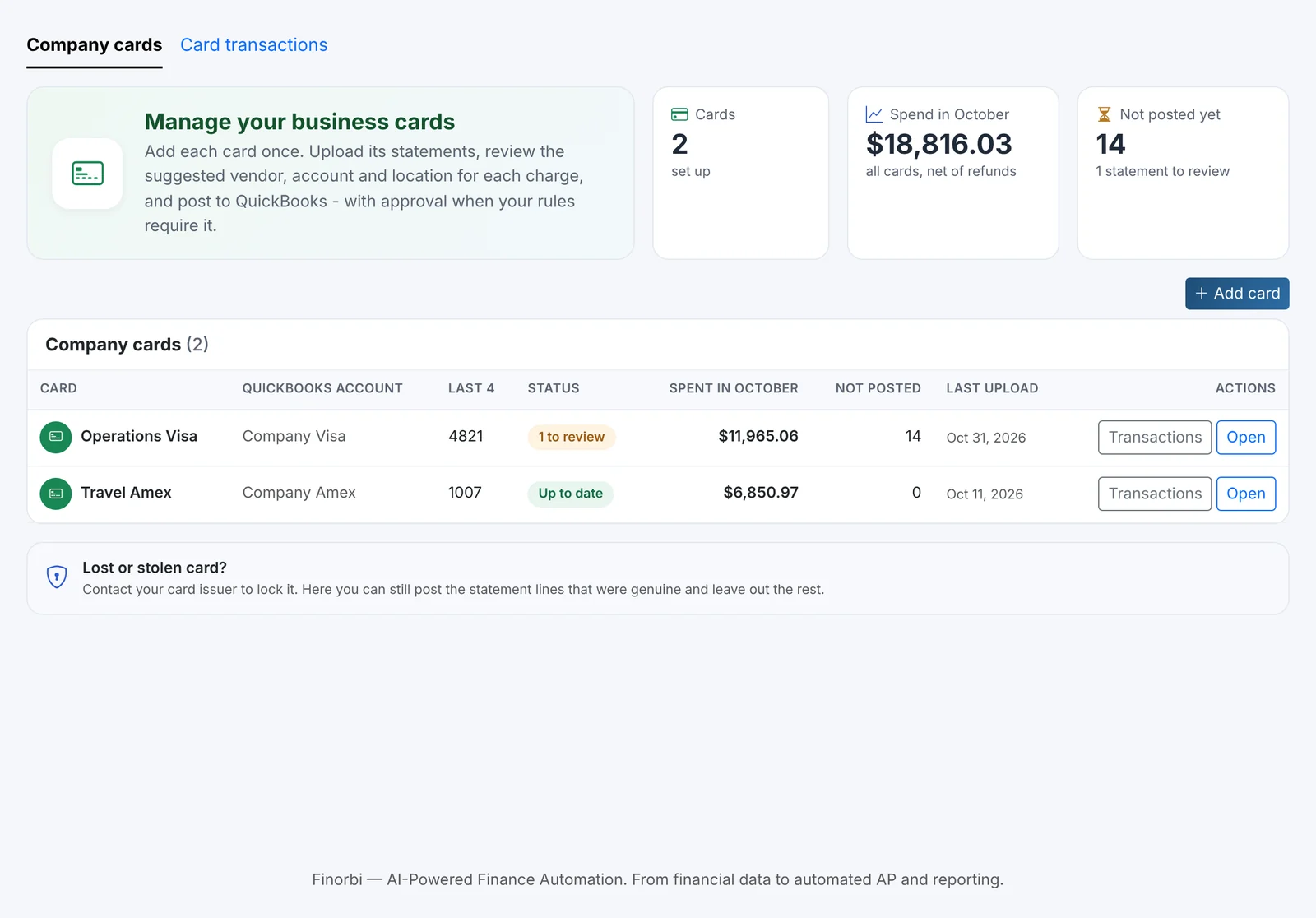
Transactions, imported automatically
Credit card transactions are pulled in automatically, so your team isn't manually keying in every charge from a statement.
- No manual re-entry from statements or CSV exports
- Transactions flow in as they post to the card
- Works across multiple cards and cardholders
Smart categorization
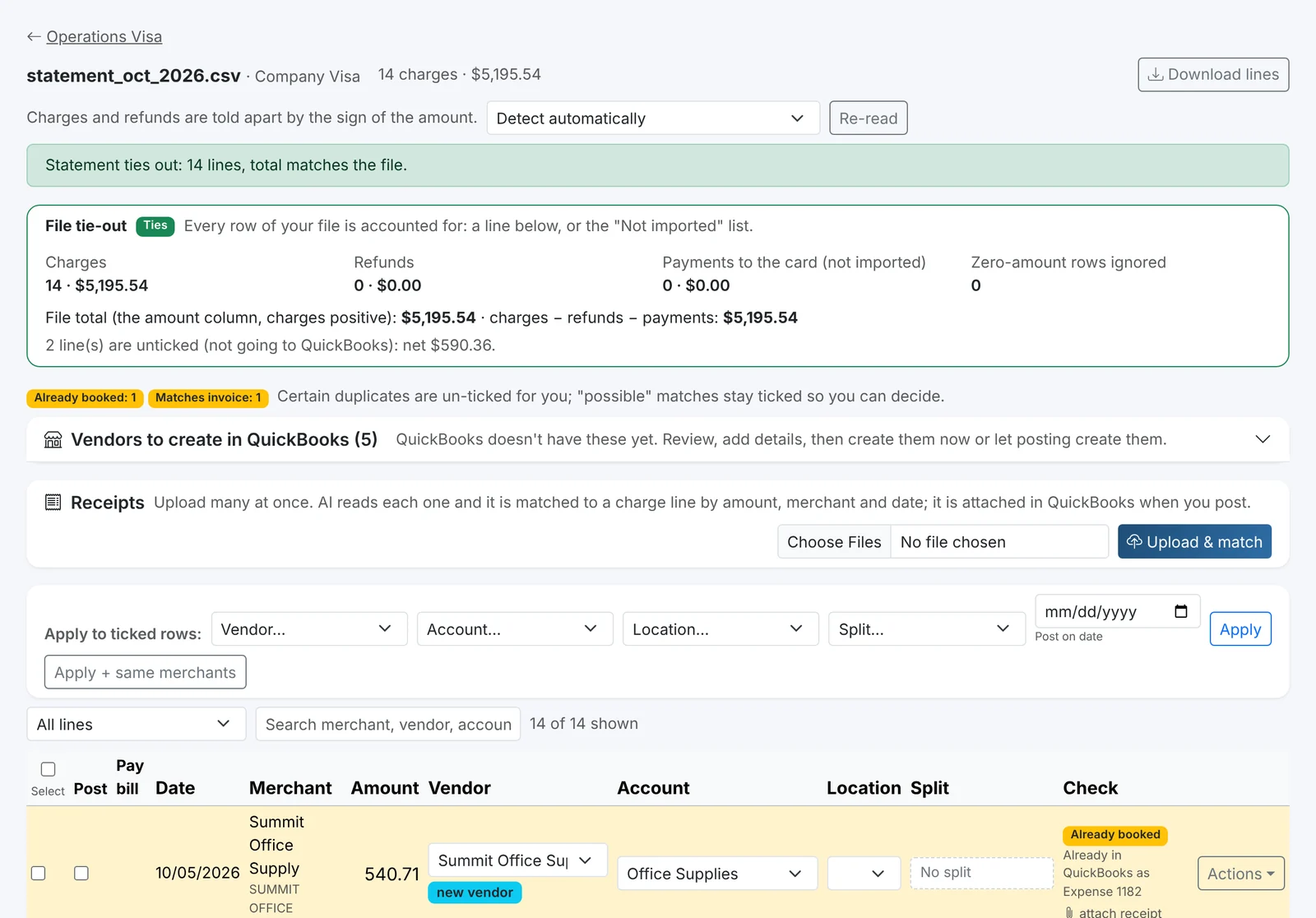
Transactions are categorized against your chart of accounts based on merchant and history, so recurring vendors and categories don't need to be mapped twice.
- Learns from how you've categorized similar transactions
- Class and location tagging per cardholder or department
- Review and correct categorization before it posts
Faster close cycles
With transactions imported and pre-categorized throughout the month, your close doesn't start with a pile of unreconciled credit card activity.
- Transactions ready well before month-end
- Fewer reconciling items at close
- Clear visibility into pending vs. posted charges
Receipt matching
Match card transactions to the receipts employees submit, so every charge has supporting documentation attached in QuickBooks Online.
- Receipts linked directly to the posted transaction
- Flag transactions missing a receipt
- Full audit trail for every card charge
From statement to close-ready in four steps
Less reconciliation cleanup at month-end.
Import
Credit card transactions are pulled in automatically as they post.
Categorize
Transactions are mapped to accounts, classes, and locations.
Match
Charges are matched to receipts and supporting documentation.
Post
Categorized transactions post to QuickBooks Online, ready for reconciliation.
Included with the Spend Management add-on
Credit Card Bookings and Expense Reimbursements are available together as an optional add-on on Professional plans and above.
Credit Card Bookings, answered
Credit Card Bookings is available as part of the Spend Management add-on on Professional plans and above, alongside Expense Reimbursements. Contact us to enable it for your account.
Stop retyping what QuickBooks already knows
Start your free 14-day trial — every plan includes unlimited exports from day one.