
Accounts payable, without the manual entry
Vendor bills and invoices get read, matched, and posted to QuickBooks Online automatically — with an approval queue and audit trail for everything that needs a second look.
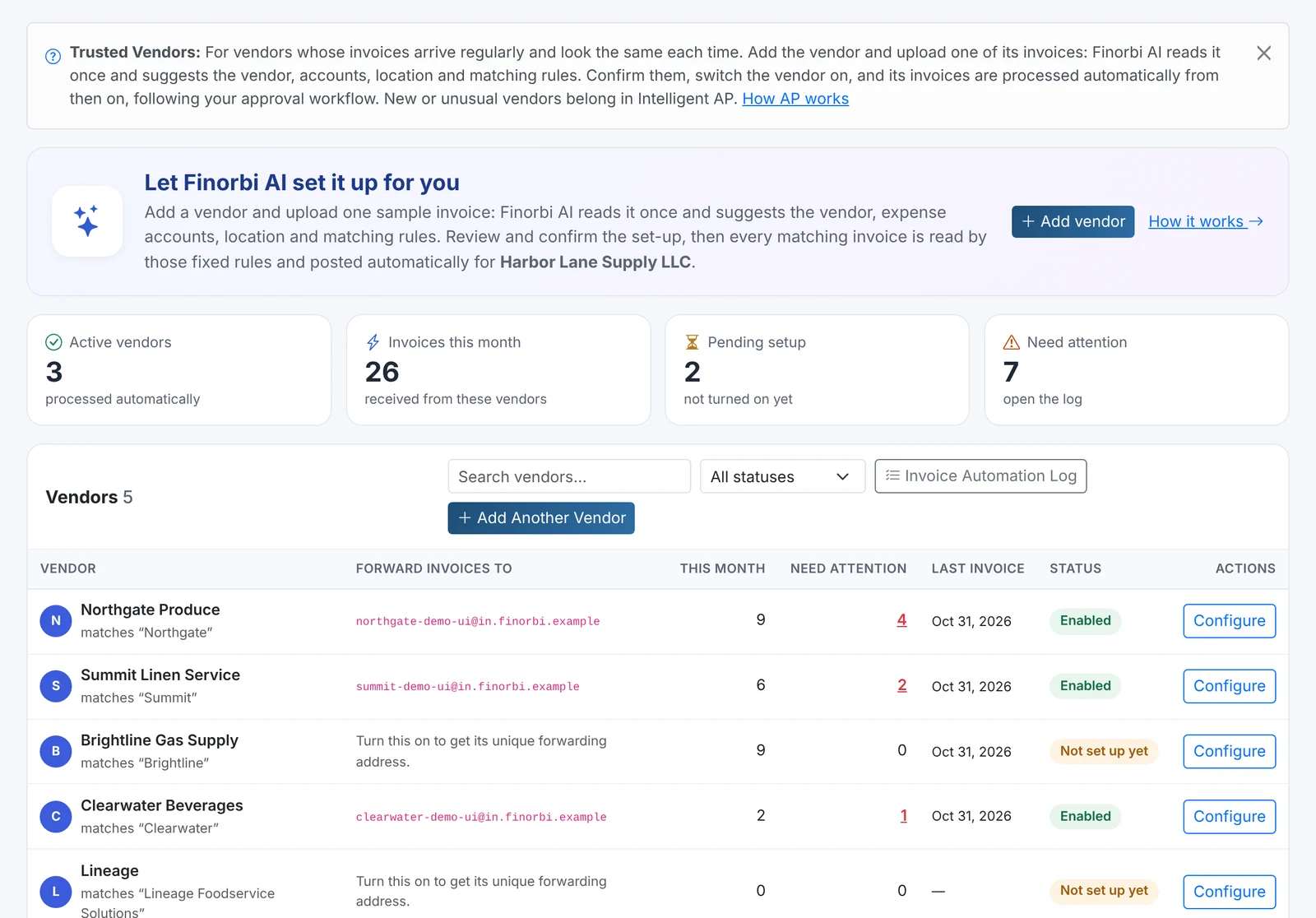
Trusted Vendor Automation
Once a vendor is marked trusted, their bills and invoices are read, matched to the right accounts and classes, and posted directly to QuickBooks Online — no manual review needed.
- Vendor-level rules you control, not a black box
- Consistent account, class, and location mapping every time
- Direct posting means less time in the approval queue
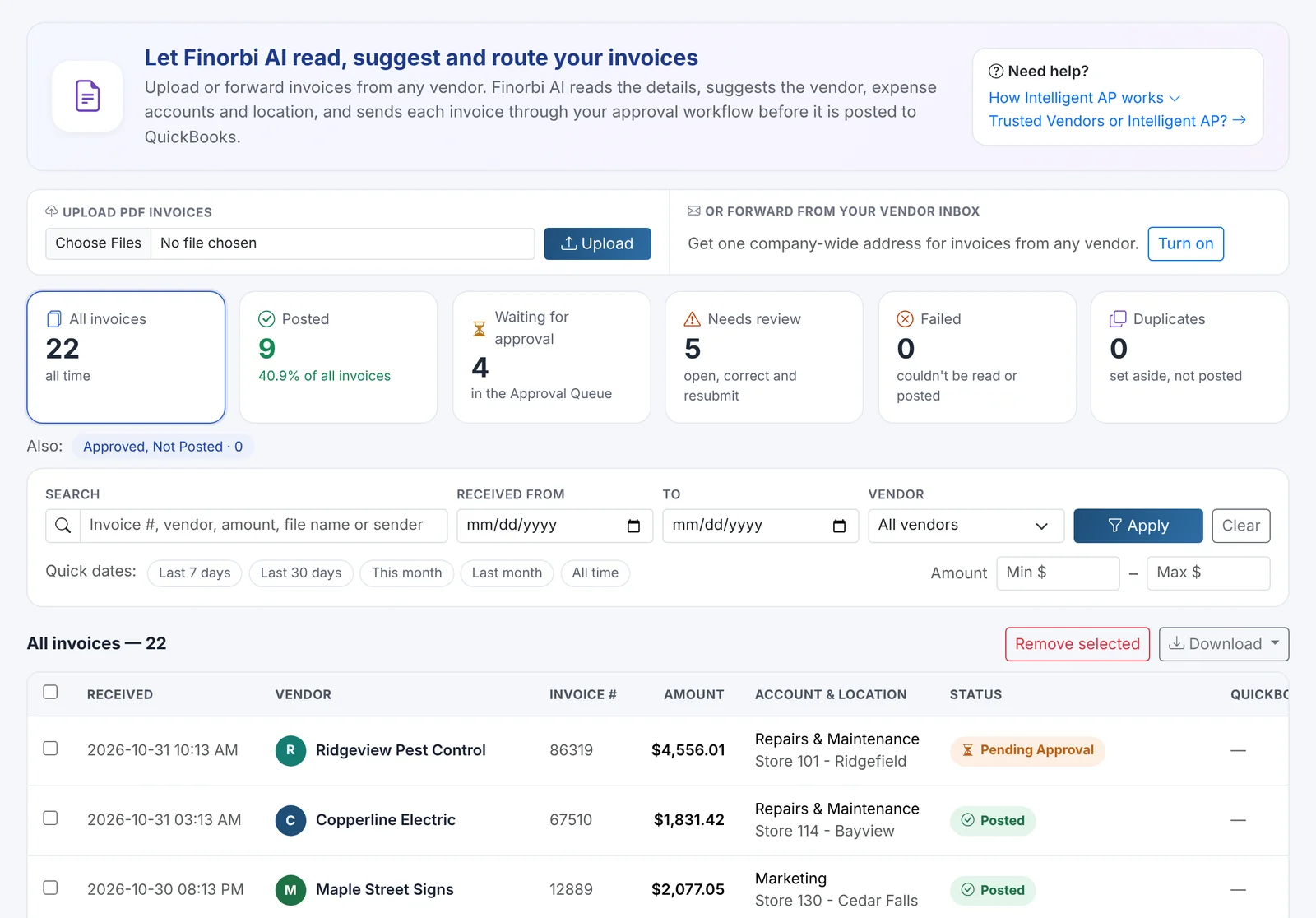
Intelligent AP for everything else
Bills from vendors that aren't on your trusted list are read and pre-filled automatically, then routed into an approval queue so a real person signs off before anything posts.
- Line-item extraction from PDF and image invoices
- Smart suggestions for account and vendor matching
- Nothing posts to QuickBooks Online without approval
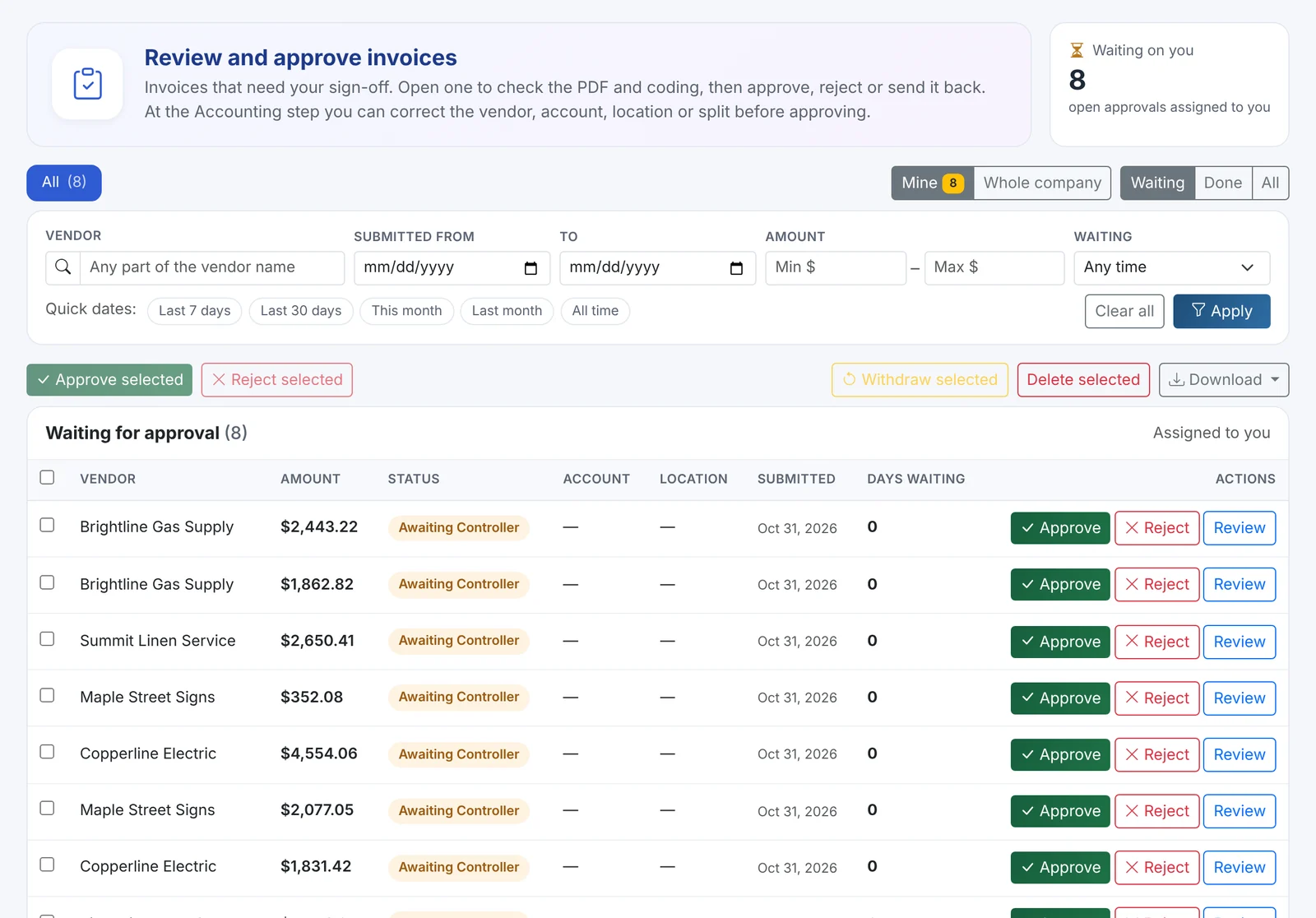
Approval Workflow & Approval Queue
Route invoices to the right approver based on amount, vendor, or category, with a single queue where your team can review, edit, and approve or reject.
- Configurable approval rules per company
- Side-by-side invoice image and extracted data
- Approvers see exactly what will post before they approve
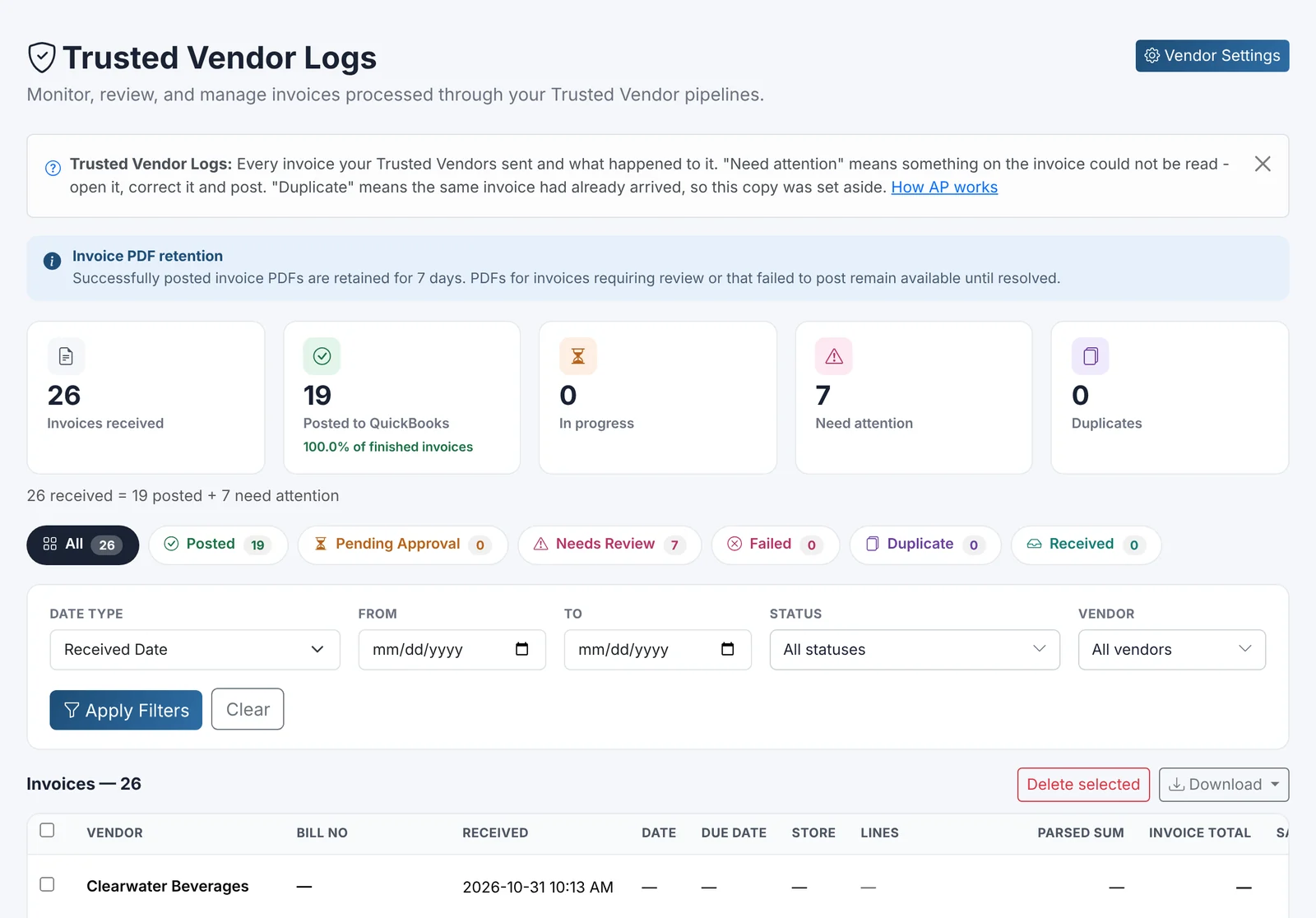
Vendor mapping, invoice history & audit trail
Every invoice — trusted or reviewed — keeps a complete history: who touched it, what changed, and a direct link to the posted record in QuickBooks Online.
- Searchable invoice and vendor history
- Full audit trail for every approval and edit
- Defined monthly invoice allowance, with paid top-ups available
From inbox to QuickBooks Online in four steps
Trusted vendors post automatically. Everything else gets reviewed first.
Receive
Invoices arrive by email, upload, or vendor portal and are automatically captured.
Match
Line items are extracted and matched to vendors, accounts, classes, and locations.
Approve
Trusted vendors post directly; everything else routes to your approval queue.
Post
Approved bills post straight to QuickBooks Online with a complete audit trail.
Starts at $99/month with Professional + AP Automation
Need higher invoice volume? Professional AP Plus includes 4,000 invoices per month starting at $299/month.
AP Automation, answered
Trusted Vendor Automation is for vendors you've marked as trusted — their bills post directly to QuickBooks Online with no manual step. Everything else is read and pre-filled automatically, but routed to an approval queue so someone on your team reviews and approves it first.
Stop retyping what QuickBooks already knows
Start your free 14-day trial — every plan includes unlimited exports from day one.